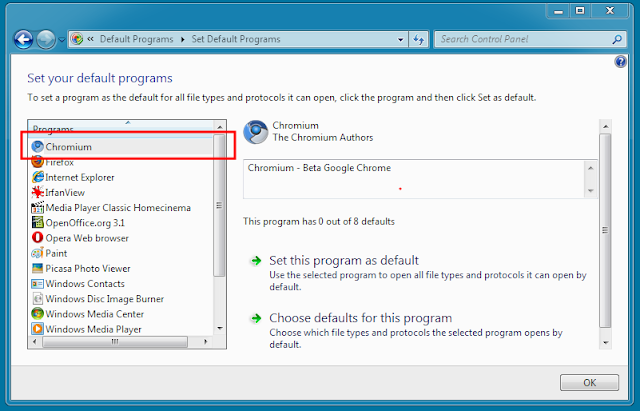
Add your program to "Default Programs" in Windows 7
I wanted to have chromium in "Default Programs", so I can associate HTTP protocol to it, here is how I did that. If you want to do same just change C:\\Program Copies\\Chromium\\chrome.exe to point your chrome.exe, note that is in two places!
For your own program just change the chromium/path etc. to something suitable for your project.
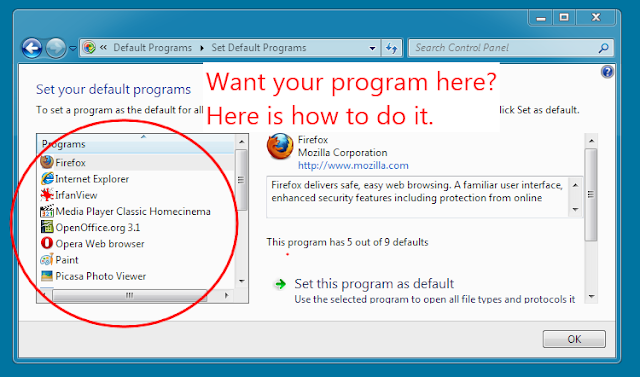
ChromiumToSetDefaults.reg:
Windows Registry Editor Version 5.00

; Infamous capabilities:

[HKEY_LOCAL_MACHINE\SOFTWARE\Chromium\Capabilities]
"ApplicationDescription"="Chromium - Beta Google Chrome"
"ApplicationIcon"="C:\\Program Copies\\Chromium\\chrome.exe,0"
"ApplicationName"="Chromium"

[HKEY_LOCAL_MACHINE\SOFTWARE\Chromium\Capabilities\FileAssociations]
".htm"="ChromiumURL"
".html"="ChromiumURL"
".shtml"="ChromiumURL"
".xht"="ChromiumURL"
".xhtml"="ChromiumURL"

[HKEY_LOCAL_MACHINE\SOFTWARE\Chromium\Capabilities\URLAssociations]
"ftp"="ChromiumURL"
"http"="ChromiumURL"
"https"="ChromiumURL"

; Register to Default Programs

[HKEY_LOCAL_MACHINE\SOFTWARE\RegisteredApplications]
"Chromium"="Software\\Chromium\\Capabilities"

; ChromiumURL HANDLER:

[HKEY_LOCAL_MACHINE\Software\Classes\ChromiumURL]
@="Chromium Document"
"FriendlyTypeName"="Chromium Document"

[HKEY_LOCAL_MACHINE\Software\Classes\ChromiumURL\shell]

[HKEY_LOCAL_MACHINE\Software\Classes\ChromiumURL\shell\open]

[HKEY_LOCAL_MACHINE\Software\Classes\ChromiumURL\shell\open\command]
@="\"C:\\Program Copies\\Chromium\\chrome.exe\" -- \"%1\""